StoryMaps-Style Pages with ScrollStories
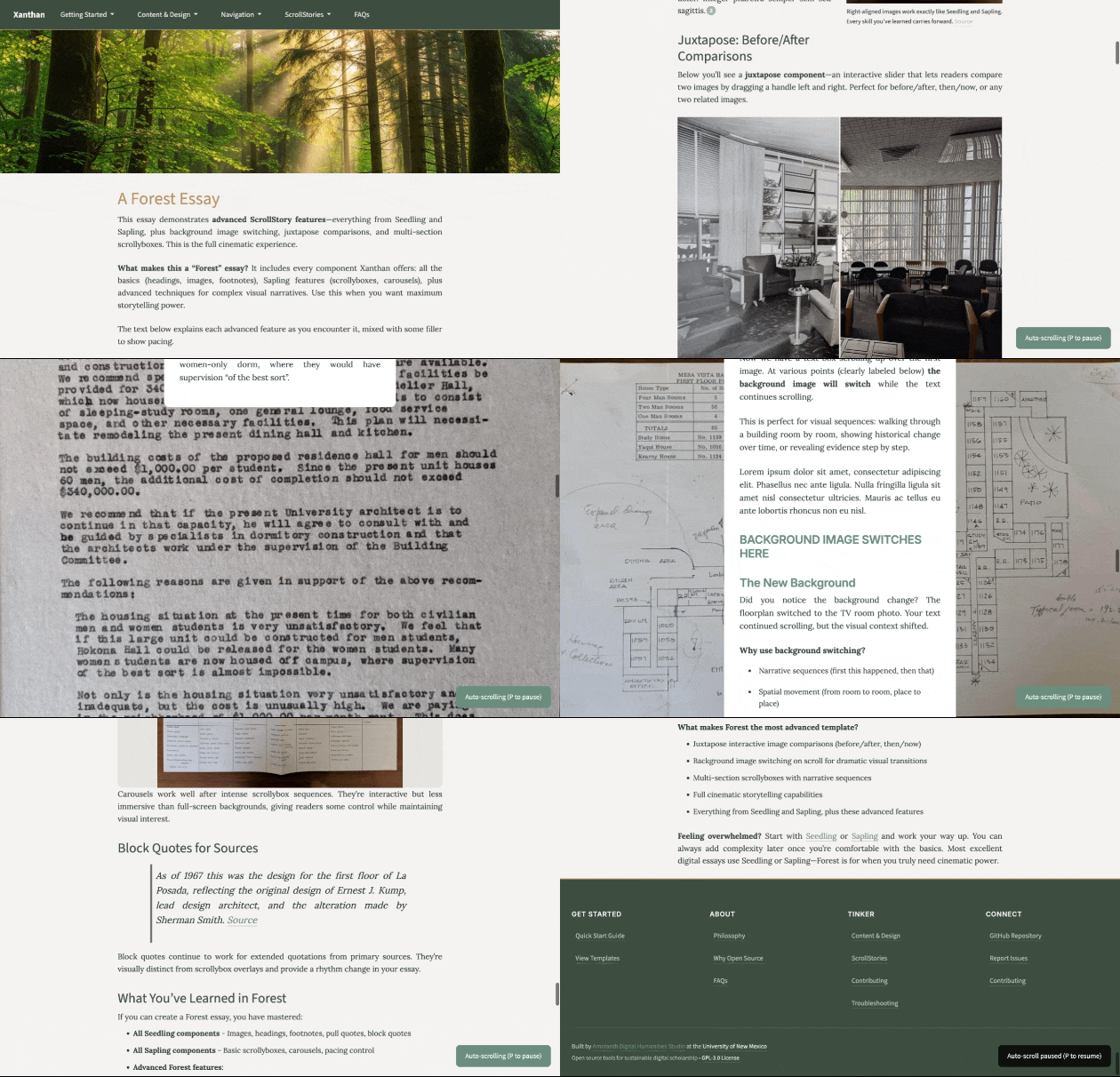
If you know StoryMaps, this is the Xanthan version of that idea: a visual narrative where text, images, maps, and media unfold as the reader scrolls. The difference is that a ScrollStory is just a page in your site, written in text files and not tied to a propritetary backend.
That matters because you are not choosing between a regular website and an immersive narrative platform. In Xanthan, a ScrollStory is one kind of page you can add to a portfolio, a class project, a public humanities site, or a site devoted entirely to one scrolling essay.
The familiar StoryMaps shape is useful: readers understand that they are moving through an argument by moving through space. Xanthan keeps that familiarity, but makes the materials editable, portable, and open to AI assistance.
How this fits into Xanthan
Every Xanthan template can publish ScrollStories. The ScrollStory template simply starts with that form at the center of the site.
- Choose the Portfolio template if the story is one part of a broader professional or project site.
- Choose the Class Project template if many people are contributing pages or ScrollStories to a shared collection.
- Choose the ScrollStory template if the scrolling narrative is the main event.
You can always add a ScrollStory later. Ask an AI assistant to create a new ScrollStory page in your existing site, describe the sections you want, and then edit the text, images, and pacing by hand.
How ScrollStories work
ScrollStories use components that respond to scrolling, creating a more cinematic reading experience than a standard page. The core techniques are background images with scrolling text overlays, backgrounds that switch as you scroll, and side-scrolling text panels that move horizontally while an image stays fixed.
You do not need to use every effect. Most strong ScrollStories combine ordinary Markdown writing with a few visual moments where the reader needs to slow down, compare evidence, or feel a change in scale.
Examples to copy or study
Start with an example that is close to the amount of visual complexity you actually need. Open it, read the source file, then duplicate it and replace the sample material with your own.
Seedling
The simplest ScrollStory. It uses section headings, body text, images with captions, pull quotes, and footnotes. This is the best first model if you want a clean scrolling essay without many moving parts.
Forest
A fuller demonstration of the ScrollStory system: background switching, side-scrolling text panels, and complex multi-section layouts. Use this when you want to see what the framework can do, then remove anything that distracts from your argument.
Technique suggestions
Motion should help the argument, not compete with it. A few restrained techniques usually work better than constant visual change.
- Use one dominant visual rhythm per section, such as one large background image with one text panel.
- Alternate intensity by following a high-motion section with quieter text or a static image.
- Keep transitions meaningful by changing backgrounds at argumentative pivots, not just for decoration.
- Use white space deliberately before major headings or changes in evidence.
- Limit novelty effects so the style feels intentional rather than restless.
Getting started
If you already have a Xanthan site, start where you are. Create a new Markdown page, give it the scrollstory layout if the page needs the full scrolling treatment, and copy one pattern from the examples or technique pages.
A plain-language AI prompt is often enough:
“Create a StoryMaps-style ScrollStory page in this site about [topic]. Use four sections, each with a background image, a short text panel, and a quieter Markdown section between the visual moments. Use placeholder image paths for now and explain where I should replace them.”
If you do not have a site yet, choose a template. Pick the ScrollStory template when the whole site is organized around one immersive narrative. Pick another template when the ScrollStory is one piece of a larger site.
If something is not working, see Troubleshooting.